Webinar FAQ
Your Questions. Our Answers.
All questions from the webinar and their corresponding answers, summarized in a concise and clear format.

Webinar FAQ
All questions from the webinar and their corresponding answers, summarized in a concise and clear format.


In lcmd, baseline schedules can be saved as a reference. The planned vs. actual comparison sets the original baseline schedule against the current project status. Deviations are highlighted in color. Delays are also shown in days, along with the original and current dates. Planned vs. actual comparisons can also be created in the multi-project view.
The update intervals depend on the project phase:
As a recommendation, the project board should be updated together three times a week.
All project participants maintain it, depending on the project organization. Site managers most often update it during site meetings. In design meetings, it is often the lead architect as the client's representative or the project management. On large projects, Lean experts and schedulers are also involved.
Dependencies are used selectively, especially for actual or critical dependencies between activities. However, they are not used across the board.
The reason is that automatically shifting activities is not always useful. Instead, possible compensation measures should be checked first and necessary preliminary work should be actively requested, without automatically shifting an entire process chain.
Cross-area planning with dependencies between trades is also possible.
For in-house project development, for example, the schedule is mapped exclusively in lcmd.
In building construction, clients sometimes require an MS Project schedule. On large infrastructure projects, MS Project plans are also used to capture additional information.
In these cases, the high-level milestones can be taken from MS Project and supplemented with detailed process planning in lcmd. Operational control and planning then move to lcmd.
Which system leads depends on the project and on the role BUNTE takes in it. Both options are possible.
Besides assigning items to individual trades, interfaces can be captured using the trades "Interface" or "Open items". Ideally, a person in charge is assigned right away.
Alternatively, interfaces and open questions can be recorded and tracked as action items.
The separate view mainly provides clarity and lets teams work on their own activities faster.
The structure depends on the project phase:
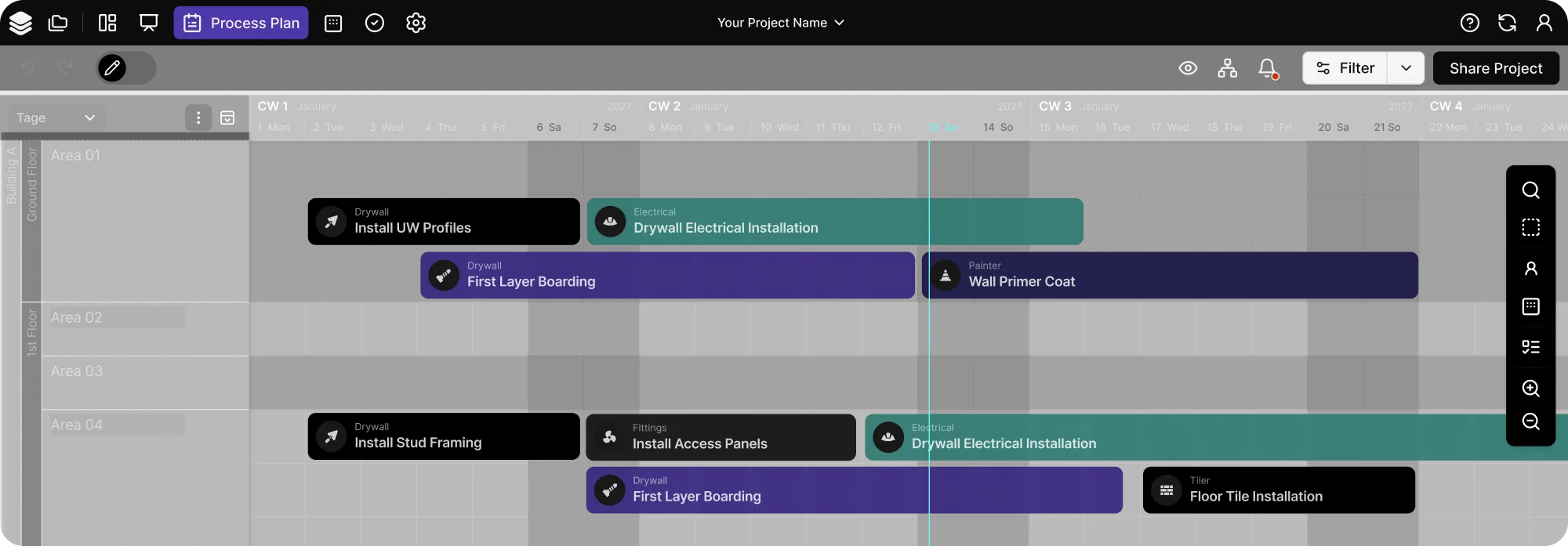
The basic swimlane structure follows the requirements of each project. A structure by topic or area can improve clarity, especially on complex projects.
Two features show the assignment:
Areas can be named and structured individually.
FTEs (full-time equivalents) are each assigned to a process. If the processes shift, the assigned FTEs shift with them.
Resulting gaps can be filled with alternative work areas or other tasks.
Custom fields let you assign several pieces of information with units to each activity. These include, for example:
Workforce resources are also shown in the resource curve and can be assigned per day.
Yes. There is a working interface between BIG (Kaulquappe) and lcmd. It lets you link activities at component level.
Delays and the resulting tasks can be documented, assigned and tracked using comments and to-dos in task management.
Short-cycle meetings and a clear definition of percent complete are key.
An activity is only set to 100% once it is actually fully completed. This makes deviations visible early so they can be addressed in time.
Yes. The causes are discussed, for example, in CIP meetings or monthly review meetings.
Concrete measures and action items with clear responsibilities are derived from them to reduce recurring causes of disruption.
If reasons for delays are mandatory when rescheduling, possible solutions should be discussed as a mandatory step as well.
Not all causes of disruption can be eliminated completely. In those cases, future planning must be adjusted accordingly. For example, if resource shortages persist for several weeks, this must also be reflected in the look-ahead planning.
The approach depends on the type of meeting:
Participants depend on the project phase and responsibilities. Typically, site managers, project managers, architects and other responsible project participants are involved.
The responsible people in the project team maintain and update the schedule.
No. The app is not yet used across the board at BUNTE.
However, the new features, especially the option to capture photos and voice recordings, have sparked interest in the app among some site managers.
Collaboration with subcontractors currently happens mainly by using lcmd together in takt and site meetings.
The app is deliberately designed for clear and simple use on site. The focus is on quick feedback on activities and creating new tasks.
However, the filter function at the bottom of the app lets you filter by specific areas.
Besides classic training, the focus is on direct use in day-to-day project work.
Project participants get their own access during the scheduling meetings and can work in lcmd right away, create their first tickets and move activities themselves. They receive direct support while doing so.
Thanks to the intuitive interface, even users without much prior knowledge can gain first experience quickly. A key principle is "turning those affected into those involved". This reduces hesitation and builds lasting acceptance.
Licensees can get lcmd per project or as a company license with the full feature set.
Any number of users can be invited, including from other companies. They also get access to the full feature set in the project, depending on their assigned role and permissions.
At the time of the original answer, the multi-project view was not yet available to all users because it was still in development. It was planned to be part of the new product at the start of the year.
Specific licensing information is provided separately.