
Share this article:
.svg)


.svg)
.svg)

Key Takeaways from this article
- Lean planning software delivers its greatest value when it strengthens the quality and consistency of planning decisions across the project.
- Planning depth is what turns software from a coordination layer into a real driver of project outcomes.
- Reliable Lean execution depends on software that reinforces planning discipline as an ongoing operating model.
- The strongest platforms make Lean planning usable in daily project work, not just visible in isolated planning moments.
- In complex construction projects, the strongest software keeps planning, site execution, and project control aligned as work moves forward.
Best Lean Construction Tools For Project Planning in 2026
A polished schedule says very little about how well a project is actually being planned.
In Lean construction in 2026, that distinction matters more than ever. Many tools can map activities, milestones, and dates. Fewer support pull planning in a way that holds up under real project pressure, helps last planners keep weekly work planning stable, and makes constraints visible early enough to keep work moving on-site.
That is why Lean construction software cannot be judged by feature lists alone.
Planning Software That Fits Today’s Lean Construction Projects
This guide is for construction teams that want to identify the right Lean construction software for project planning, not just another digital tool with a familiar timeline view.
Some tools are built around takt planning, pull planning, and standardized collaborative workflows. Others belong in the same decision set, but come from a broader construction management or scheduling context.
The goal is to see which software supports the way your team plans, coordinates trades, and manages change.
What Lean Construction Teams Should Expect From Planning Software in 2026
Construction planning still often starts from a familiar logic: build the schedule, set milestones, track progress, and keep the project moving. That logic still has its place. Traditional scheduling tools are still common in construction, but they are no longer enough for teams that need collaborative Lean planning, continuous feedback, and stronger planning control on live projects.
What Lean Construction Software Needs to Support Today
What Lean construction in 2026 demands, though, is more than a schedule that looks complete on paper. Once execution begins, planning software has to support coordination, commitment, and change under real project conditions.
In practice, that means Lean tools should support a wider set of planning routines and coordination needs. Here are the practical capabilities that matter in Lean planning software today:
- Takt planning and flow support: Software should help structure work across areas, trades, and phases in a way that supports stable flow.
- Pull planning and Last Planner routines: It should support collaborative pull planning, phase scheduling, commitment-based planning, and other planning routines that prepare work before it reaches site.
- Lookahead and short-interval planning: Teams should be able to manage upcoming work through practical lookahead routines, stable weekly work planning, and daily coordination rhythms that keep commitments realistic.
- Repeatable workflows and standardization: Planning should be easier to standardize across teams and projects instead of being rebuilt from scratch each time.
- Field-to-plan feedback: Site updates, blockers, and deviations should feed back into the planning process quickly enough to support reliable action.
- Visibility and control: On more complex construction projects, teams need earlier visibility into handoffs, dependencies, constraints, baseline changes, and reporting.
- Integration into broader construction management environments: Some tools matter because they connect planning into wider BIM, reporting, and project control ecosystems.
Those differences matter because these tools are often evaluated side by side, even though they are not equally Lean-native, do not support the same planning depth, and do not offer the same breadth across planning, execution, and project control.
Some are purpose-built for Lean planning, others bring relevant planning capabilities from a broader construction management context, and legacy systems still matter mainly as benchmarks or integration references.
That is the lens this guide uses. In 2026, construction professionals should expect more than software that simply builds a schedule. The right tools keep construction planning reliable, collaborative, visible, and connected as projects move.
How This Guide Assesses Lean Construction Software
To keep this guide focused and consistent, the most important planning requirements were grouped into six broader criteria. Together, they show where Lean construction software differs in the areas that most directly shape project outcomes:
- Takt planning and visual flow planning
- Last Planner, pull planning, and lookahead support
- Lean workflow standardization and reusable templates
- Collaboration and field-to-plan feedback
- Visibility and control of dependencies, deviations, and constraints
- Integration with broader project controls, CPM, and BIM ecosystems
1. Takt Planning and Visual Flow Planning
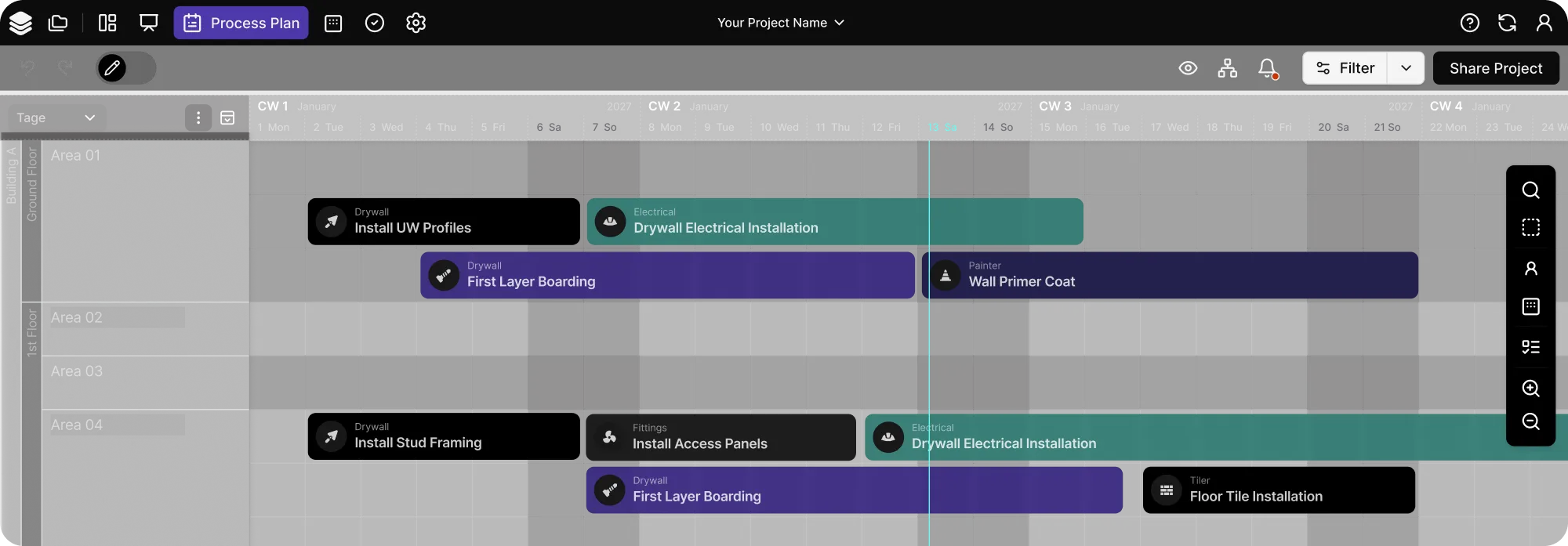
Takt planning is the clearest shared strength across the tools in this evaluation. In strong Lean construction software, it does more than redraw a project schedule. It helps construction teams structure the production process across trades and work areas, connect site execution back to the master schedule, and support continuous flow in real construction projects.
Good support in this category should make takt visible, help teams organize recurring sequences, and connect visual planning to the broader construction planning process rather than treating it as a standalone view. That is one of the clearest ways digital tools support Lean construction principles in active construction projects.
This strength is shared broadly, but it is not supported in the same way across every software type.
Some platforms approach takt planning through collaborative scheduling and recurring trade sequencing, others through more visual coordination models, and others by embedding takt into a broader planning and execution system.
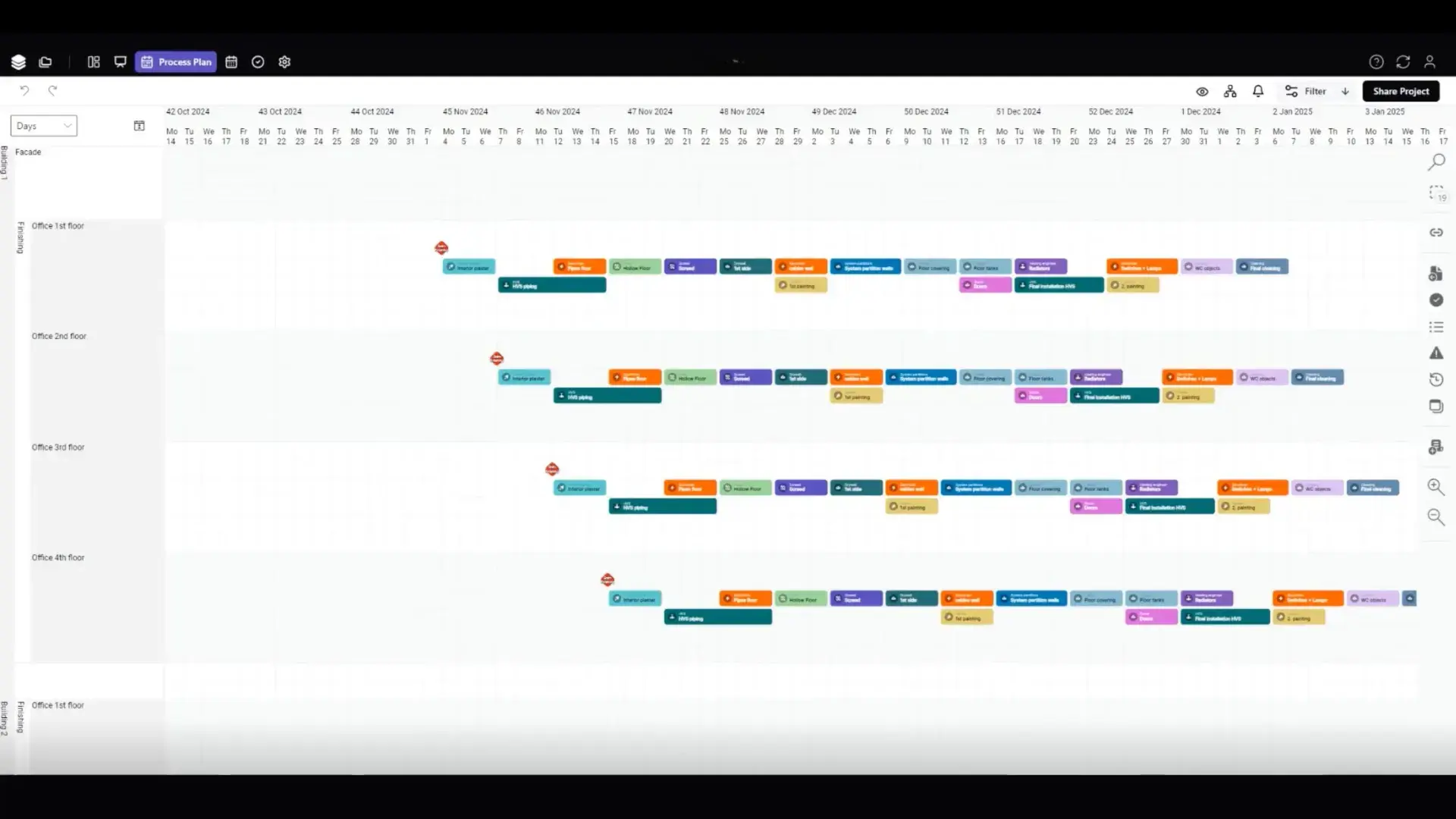
The pattern is clear: takt planning is one of the most widely shared strengths in this category, but software types support it through different planning models. The real difference is how far takt is embedded in the wider planning system, how visually it is handled, and how closely it is tied to execution.
2. Last Planner System®, Pull Planning, and Lookahead Support
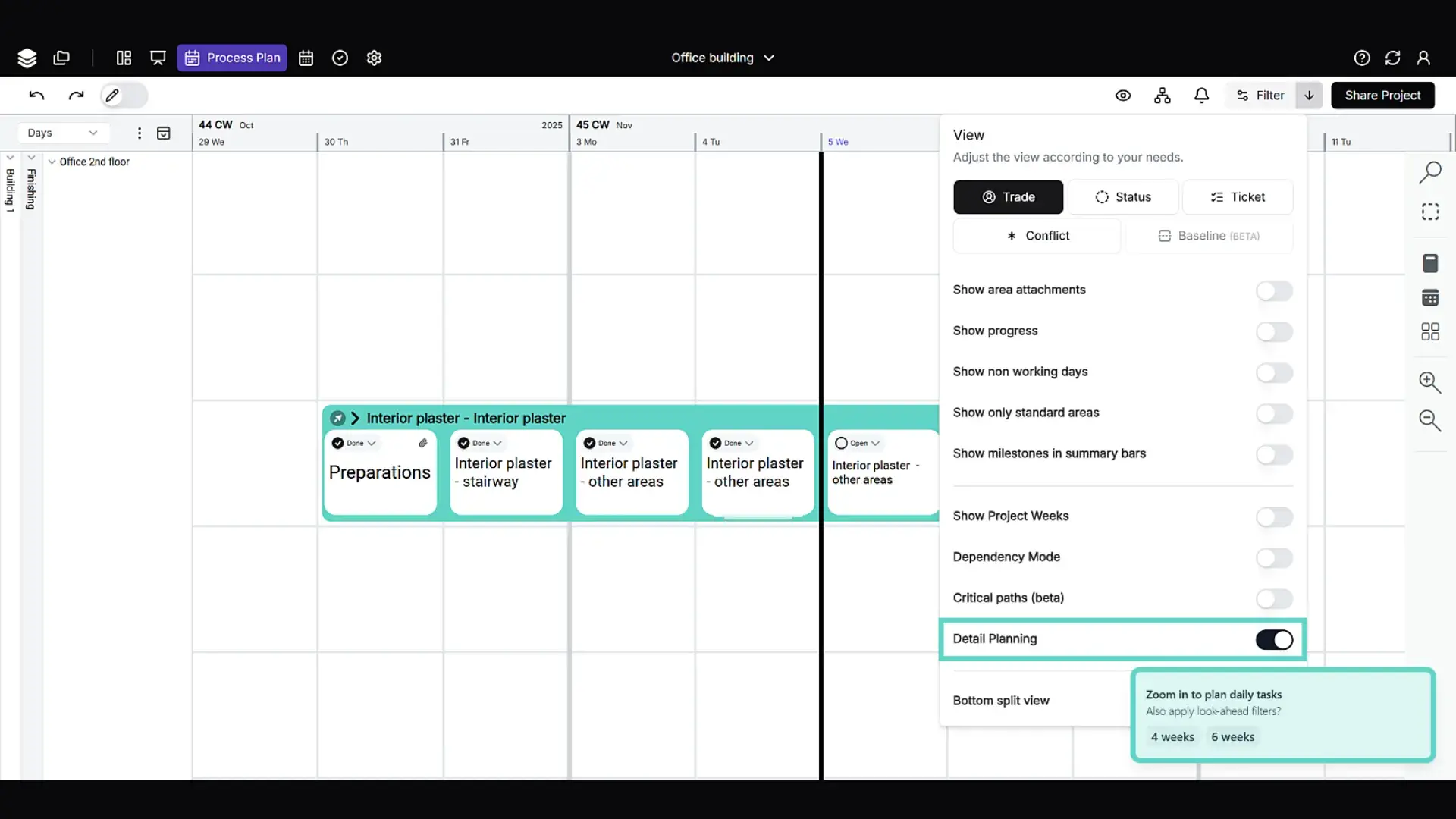
This is where pull planning has to mean more than a vendor claim. Good support in this category should show real Last Planner System depth: collaborative pull planning sessions, phase scheduling, weekly work planning, visibility into upcoming work, and forms of commitment-based planning that last planners and trade partners can actually use. That is where Lean methods start to move from planning theory into day-to-day execution.
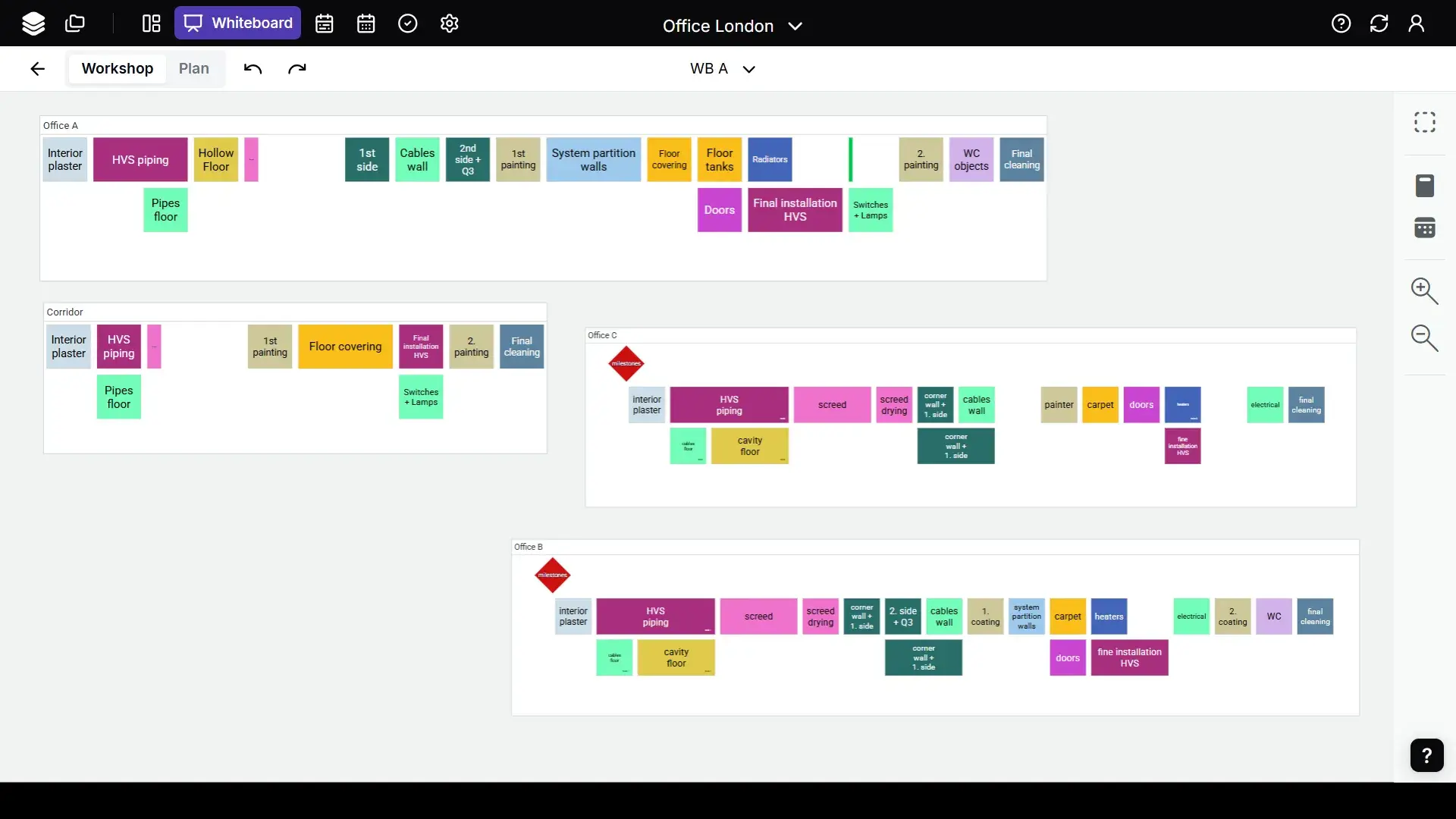
This is also one of the clearest points of separation in this evaluation. Some software types support pull planning mainly through rolling planning, lookahead coordination, or weekly planning visibility, while others show deeper support for collaborative pull planning and practical Last Planner routines tied directly to execution.
The real test in this category is not whether these capabilities appear at all, but how deeply they are embedded in the planning system and how reliably they support day-to-day execution routines.
3. Lean Workflow Standardization and Reusable Templates
For many construction teams, Lean breaks down not at the level of intent, but at the level of repeatability. That is why standardization matters so much in a modern digital platform. Reusable workflows help a project team avoid rebuilding the same planning process from scratch on every job, support continuous improvement, and make Lean methods easier to scale across projects.
The real question in this category is not whether a tool looks Lean, but whether it helps teams turn lean practices into structured project workflows that improve project efficiency over time.
The distinction becomes clearer in how software supports repeatability: some platforms reinforce it mainly through structured processes or recurring planning logic, while others provide stronger support for workflow frameworks that can be applied across projects. In practice, that can mean process templates, recurring trade sequences, shared workflows across phases, or more industrialized planning structures. It is also important to separate true Lean workflow standardization from general configurability, which may support consistency without creating reusable planning logic in the same sense.
This is where stronger software supports continuous improvement most meaningfully: not just by visualizing work, but by helping teams standardize, reuse, and improve planning workflows over time. The advantage in this category belongs to platforms that treat repeatability as part of the planning system itself.
4. Collaboration and Field-to-Plan Feedback
The value of collaboration shows up when site updates can change the plan quickly and visibly. The stronger software platforms help teams track progress, clarify ownership, support task management, and feed the current project status back into planning without delay.
On active construction sites, that makes delays, blockers, and changing priorities easier to see early. For general contractors, project leaders, and other project stakeholders, the payoff is not only smoother coordination, but better project delivery.
The distinction in this category lies in how closely collaboration is tied to the planning environment.
Some software types support collaboration mainly through shared updates, communication routines, or task coordination around the plan. Others go further by linking site feedback directly to planning changes, ownership, sequencing, and visibility into project progress. Collaboration becomes much more valuable once it does not just circulate information, but actively helps teams adjust the next step in the plan.
The key distinction in this category is whether field feedback remains close to communication alone or becomes part of the planning environment itself, where updates from site can directly influence the next planning decision.
5. Visibility and Control of Dependencies, Deviations, and Constraints
This is where planning software starts to affect project outcomes directly. Teams that can identify constraints earlier can respond before they turn into project delays. In practice, strong visibility improves both constraint management and overall project efficiency. That is especially important in complex construction projects, where dependencies cut across trades, milestones, and handoffs in the wider construction process. In Lean terms, earlier visibility also helps teams eliminate waste caused by waiting, rework, and late coordination.

The distinction here lies in how broadly software turns visibility into action. Some software types make dependencies, blockers, deviations, or downstream effects easier to see. Others go further by connecting those signals to baseline comparison, milestone analysis, execution visibility, and corrective action within the planning environment itself.
In practice, that can mean warning logic, target-versus-actual comparisons, delay tracking, reasons for change, or clearer insight into how one shift in the plan affects the next in complex construction projects.
The advantage belongs to platforms that treat control as a connected part of the planning system rather than a layer of reporting around it. The real test is not only whether software helps teams identify constraints and highlight problems, but whether it helps them understand their impact early enough to respond with control rather than react with delay. That is where stronger visibility begins to affect project outcomes directly.
6. Integration With Broader Project Controls, CPM, and BIM Ecosystems
Integration with broader project controls, CPM, and BIM ecosystems is where the gap between Lean construction scheduling and older traditional planning tools becomes more visible. Many teams still work with Microsoft Project, Primavera, or other systems shaped by the critical path method, especially in CPM-heavy environments.
The question is not if those tools disappear, but how well a Lean planning platform fits into the broader construction management and project management ecosystem of real projects.
Integration with broader project controls, CPM, and BIM ecosystems is less about pure planning depth and more about how credibly Lean software can operate inside the wider project system. Some platforms connect mainly to legacy scheduling environments and reporting paths. Others are more explicitly shaped around BIM-linked coordination.
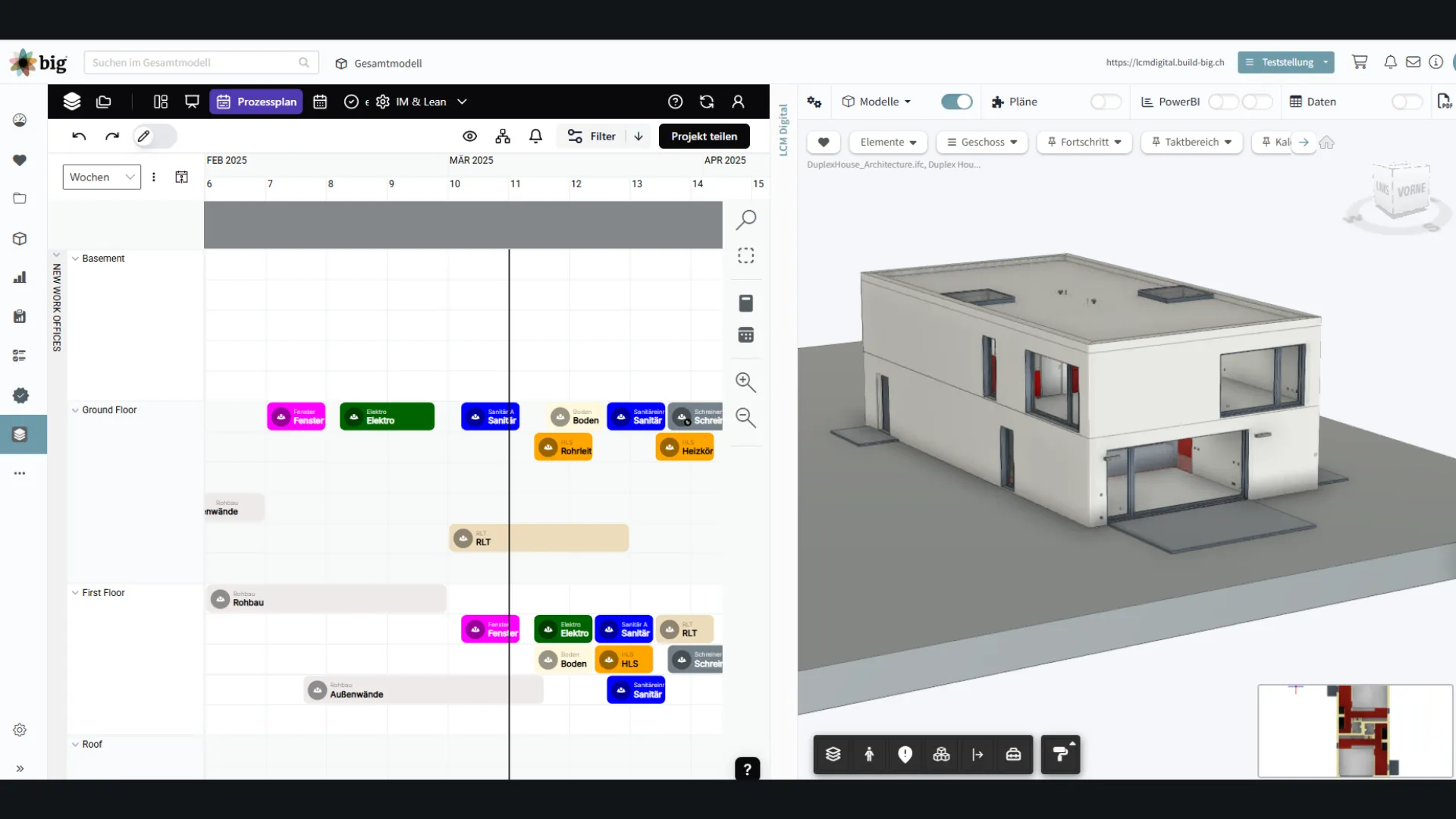
The strongest integration layers go further by combining CPM interoperability, BIM interfaces, API access, BI connectivity, and execution-linked planning in a way that supports the wider delivery environment rather than sitting beside it.
That can include import and export options for legacy scheduling tools, model-based coordination, API access, BI connectivity, or tighter links between planning, execution, and reporting across the broader system landscape.
The strongest fit here comes from platforms that make integration part of the operating model rather than a technical add-on. What sets them apart is not just the breadth of connected systems, but the extent to which those connections reinforce Lean-native planning and control inside the larger project ecosystem.
How Lean Construction Software Types Compare
Viewed side by side, the differences between Lean construction software types become easier to interpret. Some are purpose-built Lean-native platforms with broader operational depth, while others are better understood as more specialized tools or adjacent construction software. The real buying question is not which option has the longest feature list, but which type of software matches the level of Lean planning, coordination, and control your team actually needs.
The table below compares the main Lean construction software types in 2026. Instead of treating every category as interchangeable, it shows where each type is typically strongest and where the fit may be more limited depending on the planning depth, coordination needs, and control requirements of the project.
Which Type of Lean Construction Software Fits Which Type of Team
The right Lean construction software depends on the planning problem your team needs to solve.
Some construction teams need broader software that connects takt planning, pull planning, repeatable workflows, field feedback, and project controls in one environment. Others are looking for more specialized digital tools for collaborative trade coordination, visual planning routines, takt-focused workflows, or broader site management support.
The right software is not just the one that covers a narrow use case well, but the one that matches the level of planning, coordination, and control your project team actually needs.
{{cta}}
Conclusion: Lean Construction Planning for Better Project Outcomes in 2026
The best Lean construction software helps teams plan with more reliability, respond to change earlier, and keep execution aligned across the project.
At this level, the difference is not one isolated feature, but the quality of the system behind it. Real value comes from software that keeps planning, execution, and control connected in daily project work. That is what helps teams reduce waste, react earlier, and protect project delivery.
Seen through that lens, Lcmd stands out as the strongest overall fit. It combines takt planning, pull planning, execution feedback, and broader control logic in one Lean-native platform. For construction companies that need operational depth, not just isolated planning features, Lcmd offers the most complete planning and control environment in this evaluation.
Important note: This article is based on publicly available information reviewed in March 2026. Because software platforms continue to evolve, features, integrations, and workflows may have changed since then. The assessments reflect the clearest publicly available evidence at the time of writing.